
How SharePoint and Custom Software Work Together to Automate Business Processes
Organisations are under pressure to move faster, reduce manual effort, and improve consistency. Many teams want to automate business processes but struggle to decide how their existing platforms fit into that goal. SharePoint is often already in place and widely used for collaboration and document management. Custom software is seen as powerful but complex. The reality is that the strongest automation outcomes often come from using both together. This article explains how SharePoint and custom software complement each other to automate business processes, improve workflow automation, and support digital automation across the organisation. The focus is practical, business driven, and grounded in real operational needs.
Understanding the roles of SharePoint and custom software
SharePoint and custom software serve different purposes in process automation.
SharePoint is a configurable platform from Microsoft. It provides user friendly interfaces, permissions, document libraries, and workflow triggers. It is excellent at managing inputs, approvals, and visibility.
Custom software is purpose built. It handles complex logic, calculations, integrations, and automation rules that go beyond platform limits.
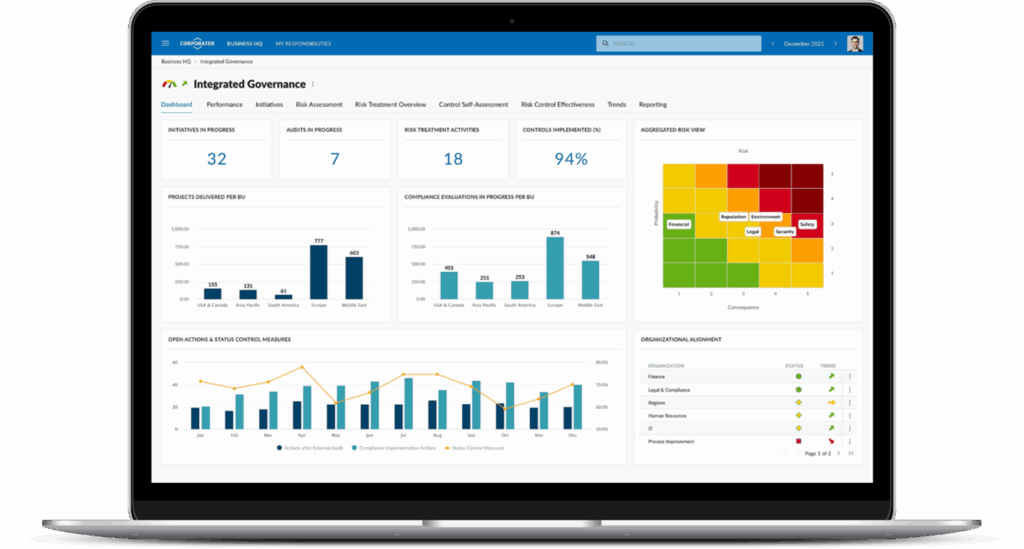
When combined, SharePoint becomes the control layer while custom software becomes the automation engine.
Why combining platforms matters
Automation initiatives often fail when a single tool is forced to do everything. Combining platforms creates balance.
Speed to value
SharePoint enables quick deployment of forms, lists, and workflows. Custom software can be introduced gradually where deeper automation is required.
Flexibility
Processes evolve. SharePoint handles day to day interaction while custom software adapts logic without redesigning user interfaces.
Scalability
As transaction volumes grow, custom software absorbs complexity without overloading SharePoint configurations.
User adoption
Teams already understand SharePoint. Automation feels familiar instead of disruptive.
How SharePoint enables process automation
SharePoint plays a key role in initiating and managing automated processes.
Common SharePoint automation functions
- Capturing data through forms and lists
- Triggering workflow automation events
- Managing document approvals
- Enforcing permissions and visibility
- Providing task and status tracking
For many organisations, SharePoint automation handles the first fifty percent of process automation. It manages who submits information, who approves it, and where documents are stored.
Where SharePoint reaches its limits
- Complex decision trees
- Advanced calculations
- High volume data processing
- Deep integrations with multiple systems
- Real time reporting across platforms
These limits are not flaws. They indicate where custom software should step in.
Where custom software adds automation power
Custom software extends automation beyond configuration.
What custom software does best
- Executes complex business rules
- Connects multiple systems reliably
- Processes data at scale
- Generates tailored reports and dashboards
- Automates actions without user intervention
Custom software is especially valuable when automation must run continuously in the background rather than being triggered manually.
The integration layer: how systems talk to each other
The real value appears when SharePoint and custom software are connected through integrations.
SharePoint API integration explained
SharePoint API integration allows custom software to:
- Read and write data to SharePoint lists
- Monitor workflow status
- Retrieve and store documents
- Update task states automatically
In practice, SharePoint triggers an action and custom software completes it. The result is returned to SharePoint for visibility and user interaction.
This approach supports clean system boundaries and reliable automation.

Example: automating a business process end to end
Consider a professional services organisation automating client on-boarding.
Step one: SharePoint
- Client details captured in a SharePoint form
- Initial approval workflow triggered
- Documents uploaded and classified
Step two: custom software
- Client data validated and enriched
- Records created in billing and CRM systems
- Automated notifications sent
- Status updates returned to SharePoint
Outcome
Users interact only with SharePoint. Automation happens in the background. Errors drop, turnaround time improves, and reporting becomes consistent.
This is business process automation in practice.
Workflow automation without over engineering
Not every process needs full custom development. The goal is proportional automation.
Use SharePoint when
- Processes are linear
- Volumes are low to moderate
- Decisions are simple
- Visibility is the main requirement
Add custom software when
- Logic becomes complex
- Integrations multiply
- Automation must run unattended
- Performance becomes critical
This layered approach keeps automation manageable and cost effective.
Common automation mistakes to avoid
Even strong platforms can fail when automation is poorly planned.
Overloading SharePoint
- Excessive scripts and workarounds
- Hard coded logic in workflows
- Limited documentation
Under investing in integration
- Manual data transfers between systems
- Duplicate records
- Inconsistent reporting
Ignoring future scale
- Automations that only work at current volumes
- Tight coupling between systems
Avoiding these mistakes ensures automation supports growth rather than restricting it.
Measuring success in digital automation
Automation should deliver measurable value.
Practical success indicators
- Reduced manual steps
- Faster process completion
- Fewer errors and rework cycles
- Improved data consistency
- Clear ownership and visibility
SharePoint provides transparency. Custom software delivers efficiency. Together, they support sustainable digital automation.
Automating business processes does not require choosing between SharePoint and custom software. The strongest solutions use both. SharePoint provides structure, user interaction, and control. Custom software delivers power, logic, and scale. Integration connects them into a single automation ecosystem.
The next step is to map your key processes and identify where configuration ends and software automation begins. That clarity allows automation to deliver long term value rather than short term fixes.
